
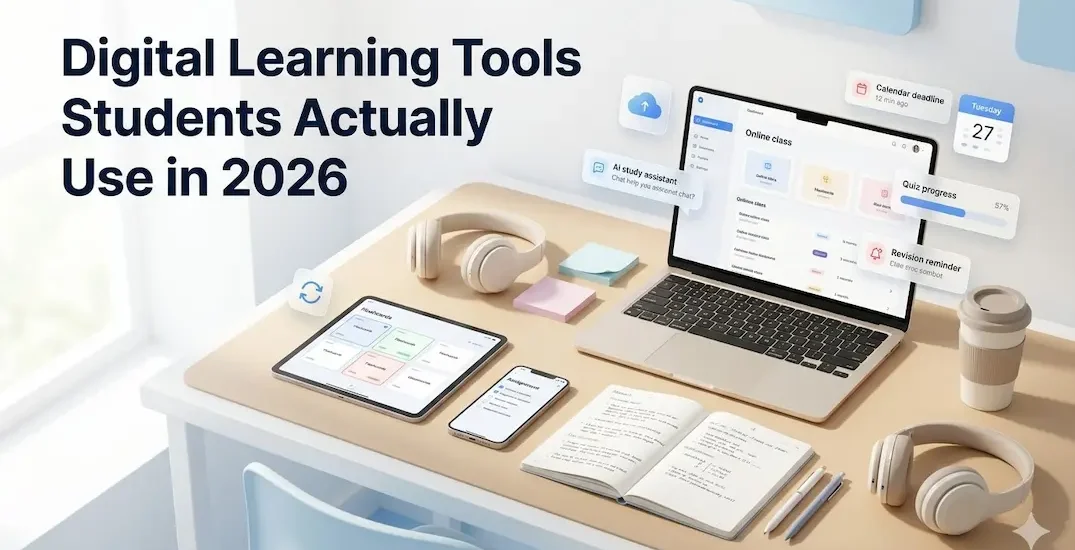
Students now deal with PDFs, screenshots, online classes, AI answers, group projects, cloud folders, and endless study apps. The right tool can make learning easier. The wrong one can create a bigger digital mess.
That is why digital learning tools matter in 2026. These apps and platforms help students study, revise, write, organize, collaborate, and learn at their own pace. The best tools do not replace effort. They reduce confusion and help learners stay consistent.
What Are Digital Learning Tools?
Digital learning tools are apps, websites, and online platforms that support studying, revision, assignments, notes, research, presentations, and classroom communication.
For example, a learner may use Google Classroom for assignments, Quizlet for revision, OneNote for notes, Canva for presentations, and Forest for focus. Each tool should have one clear purpose. Otherwise, it becomes another distraction.
Why Students Need Better Study Tools in 2026

A student’s biggest problem today is rarely a lack of information. The bigger problem is scattered information. Notes sit in one app. Homework appears in another. Screenshots disappear in the gallery. Revision links get lost in chats or emails.
Good digital study tools for students create structure. They help learners find notes faster, revise with less confusion, and submit work on time. Still, every tool should earn its place. If an app adds stress, extra logins, and unnecessary notifications, skip it.
Google Classroom for Assignments and Classwork
Google Classroom works well when students need one place for assignments, class updates, teacher feedback, and deadlines. Google’s own Classroom Help explains that learners can track classwork, submit assignments, review grades, and check feedback in Classroom.
Best for:
- school assignments
- teacher updates
- homework tracking
- class communication
Why students use it:
- It keeps classwork in one place.
- Teachers can share instructions and resources.
- Students can submit work online.
- Feedback becomes easier to find later.
Microsoft OneNote for Better Notes
Microsoft describes OneNote as a digital note-taking app where students can keep notes, research, plans, and school information in one place.
OneNote works best for school goers who like organized notebooks but hate carrying too many physical copies. You can create sections for subjects, add images, paste links, type summaries, and keep rough practice material together.
Best for:
- lecture notes
- subject-wise notebooks
- research material
- revision summaries
A student can create one notebook for science, another for English, and one for exam revision. Simple. Clean. Less “where did I write that?” drama.
Quizlet for Flashcards and Revision
Quizlet’s flashcard tool helps learners create and practice learning sets for revision. Its official page highlights interactive flashcards, practice tests, and revision activities, while its AI study tools page mentions practice tests, guides, PDF summarizing, AI flashcard creation, and homework support.
Best for:
- vocabulary
- definitions
- formulas
- quick revision
- exam preparation
Students can use Quizlet before tests when they need repeated practice. It works especially well for subjects that require both memory and recall.
Tiny warning though: flashcards help revision, but they cannot replace understanding. If a student memorizes without learning the topic, the results stay weak.
Khan Academy and Khanmigo for Concept Clarity
Khan Academy already helps students learn through lessons and practice. Khanmigo adds an AI tutor-style layer. Khanmigo says it challenges learners to think critically and solve problems without giving direct answers.
This matters because many schoolchildren now use AI apps badly. They ask for direct answers, copy them, and then wonder why concepts remain unclear.
Best for:
- maths
- science
- essay thinking
- concept support
- guided problem solving
Khanmigo’s approach feels healthier because it pushes students to think. A good learning tool should say, “Try this step,” not “Here, copy this answer.”
Canva for Presentations

Canva for Education helps students and teachers create lesson plans, posters, videos, presentations, infographics, and classroom visuals. Canva says Canva Education is free for teachers and pupils at eligible schools.
Best for:
- school presentations
- posters
- project work
- visual reports
- classroom creativity
Students often know what they want to say but struggle to make it look neat. Canva helps them present ideas clearly without spending hours fighting with design software or apps.
Students who want to present projects online can also read this guide on building a small website without coding.
NotebookLM for Research and Long PDFs
NotebookLM can help learners work with long source material. Google describes NotebookLM as an AI research tool and thinking partner that can analyze sources and turn complex material into clearer content.
Google also shared that undergraduates can use NotebookLM to generate flashcards, quizzes, and reports from their study material.
Best for:
- long PDFs
- research notes
- exam revision
- source-based learning
- summarizing material
This tool can be useful when a student says, “This chapter is huge. Where do I even start?” Still, students should upload only material they have permission to use and verify key points before relying on any AI summary.
Grammarly for Writing Support

Grammarly’s student writing support page says it gives real-time writing feedback and helps learners disclose AI use with integrity. This makes it useful for essays, emails, project reports, applications, and assignments. It can catch grammar errors, improve clarity, and help school goers notice weak sentences.
Best for:
- essays
- reports
- emails
- applications
- assignment drafts
Still, students should use Grammarly as support, not as a replacement for their own voice. A polished assignment should still sound like the student wrote it. Teachers can usually sense when writing suddenly feels too perfect or unnatural.
Forest for Focus and Phone Control
Forest is a focus app that encourages users to put down their phone and stay focused by planting a virtual tree while working. If the user leaves the app, the tree can die.
Sounds a little dramatic? Maybe. But for students who keep checking their phones every five minutes, it can work surprisingly well.
Best for:
- study sessions
- exam preparation
- phone distraction
- time blocking
- homework focus
Use it for 25-to-40-minute study blocks. Then take a short break. This feels easier than saying, “I will study for three hours,” and then losing focus after twelve minutes.
If phone distraction keeps breaking study flow, students can also read this guide on digital habits and attention in 2026 for simple ways to protect focus during daily learning.
Google Drive for Files and Backup
Google Drive may not sound exciting, but learners who lose files know its value. Assignments, notes, PDFs, scanned pages, presentations, and project images can stay in one organized place.
Best for:
- assignment backup
- shared folders
- group projects
- PDF storage
- presentation files
A simple folder system can save students from panic later. Create folders by subject, semester, or exam. Add clear file names. Do not save everything as “final final last version 3.” We have all seen that chaos.
Free Digital Study Tools Worth Trying

Many useful tools have free versions, which matters for students and parents. Google Classroom, Google Drive, Khan Academy, Quizlet’s basic features, Canva for Education for eligible users, and OneNote can all support learning without heavy spending.
Useful free options include:
- Google Classroom for classwork
- Khan Academy for lessons
- Google Drive for storage
- OneNote for notes
- Canva for Education for eligible students
- Quizlet free version for flashcards
Free does not always mean perfect, though. Some learning apps limit features, storage, exports, or advanced AI support. So, pupils should begin with free plans and upgrade only when a tool becomes part of their real routine.
Online Learning Tools for Students
Online learning tools for students should make studying clearer. A good tool should help with one main task: learning, organizing, practicing, or submitting work.
For example, Khan Academy helps with concepts, Quizlet supports practice, Google Classroom manages assignments, OneNote keeps notes organized, Canva helps with presentations, and NotebookLM supports source-based study.
Learners should avoid using ten tools for one task. Tool overload quietly steals study time.
What Students Should Avoid
This section matters the most. A tool can help, but careless use can hurt learning.
Avoid:
- copying AI answers blindly
- uploading private school documents anywhere
- using too many apps at once
- trusting summaries without checking sources
- spending more time designing notes than studying them
Students who use AI for study should treat it as a support tool. It can explain, quiz, summarize, or suggest structure, but it should never become a homework machine. A student might say, “But AI gave me the answer in five seconds.” Fine, but did it help you understand the chapter? That is the real question.
Schools are getting stricter about originality, and learning shortcuts can backfire fast.
How to Choose the Right Digital Learning Tool
Before using any app, ask one simple question: What problem will this solve?
Use this quick check:
- For messy notes, choose OneNote.
- For revision, try Quizlet.
- For concepts, use Khan Academy.
- For focus, use Forest.
- For presentations, use Canva.
- For assignments, use Google Classroom.
- For long PDFs, test NotebookLM carefully.
A good tool should feel easy after two or three uses. If it keeps confusing the student, it may not be the right fit.
Parents and students should check privacy settings, age limits, school rules, comfort level, and subscription costs before paying for premium features. “Free trial” can become a surprise payment later. Nobody wants that plot twist.
Students who like simple tech for study spaces may also find this guide on cool tiny tech products people love in 2026 useful.

Final Thoughts
The best digital learning tools in 2026 are not the ones with the loudest marketing. They are the ones learners actually use when homework, revision, notes, and online classes start piling up. A good tool should make study life clearer, not more complicated.
Students should start small. Pick one tool for notes, one for revision, one for homework, and one for focus. Then build slowly. Learning does not improve because a student downloads ten apps. It improves when the right apps support better habits.
For more practical digital guides, online tools, and student-friendly tech ideas, explore more content on The Digital Priyanka (TDP).
FAQs
What are digital learning tools?
Digital learning tools are apps, websites, and platforms that help students study, revise, organize notes, submit work, collaborate, and learn online.
What are some examples of digital learning tools?
Examples include Google Classroom, Khan Academy, Quizlet, Microsoft OneNote, Canva for Education, NotebookLM, Grammarly, Google Drive, and Forest.
Which digital learning tools are best for undergraduates?
Undergraduates can use OneNote for notes, Quizlet for revision, Khan Academy for concepts, Canva for presentations, and Forest for focus.
Are there free digital study tools for students?
Yes. Google Classroom, Google Drive, Khan Academy, OneNote, Canva for Education, and Quizlet’s basic version can support learning for free.
What are online learning tools for students?
Online learning tools help students attend lessons, complete homework, practice topics, organize notes, collaborate, and revise from anywhere with internet access.
Can teachers use digital learning tools too?
Yes. Teachers use these tools to share coursework, create quizzes, prepare visuals, collect responses, and manage classroom resources.
Are AI study tools safe for school goers?
AI study tools can help with explanations, summaries, and revision. Students should avoid copying answers or uploading private school material.
How many study apps should an undergraduate use?
Most undergraduates can start with three or four tools: one for notes, one for revision, one for projects, and one for focus.
Do digital learning tools improve grades?
They can support better habits, but grades still depend on understanding, regular practice, revision, and teacher guidance.
How should undergraduates choose a learning tool?
Students should choose a tool based on their real problem. Messy notes need a note app. Weak revision needs flashcards or quizzes.