
Last updated: April 25, 2026
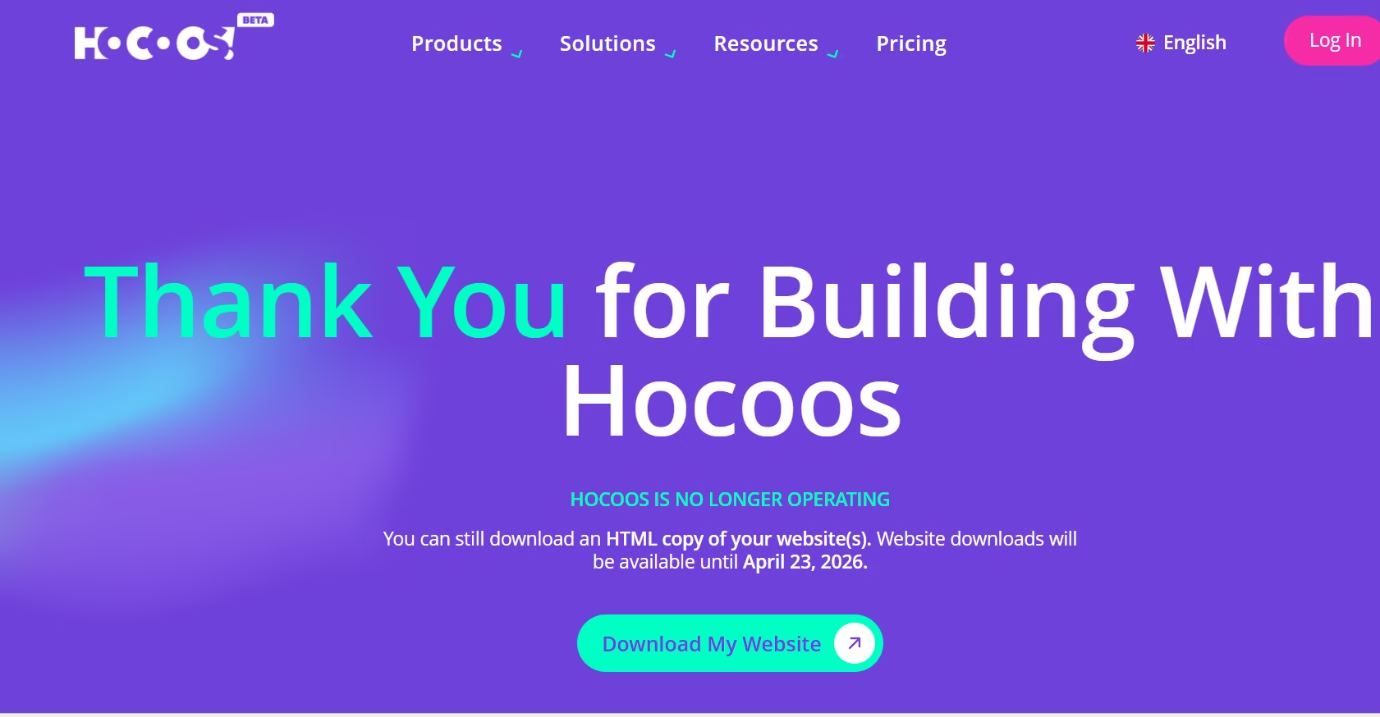
If you are searching for Hocoos AI Website Builder, there is one important update to know first. According to the official Hocoos shutdown page, the platform is no longer operating, and Hocoos said website downloads were available only until April 23, 2026. Since that date has now passed, this is no longer a beginner’s guide or a sign-up article. Instead, it is a practical post-closure update for existing users who need clear answers.
In the sections below, I explain what happened, what the official notice said about website access and exports, what an exported site would still do, which features would stop working outside the platform, what users should know about domains and mailboxes, and what practical steps still make sense now. If you have already saved your site files and want a simpler rebuild path, you can also read Build a Small Business Website Without Coding.
This guide has been updated after reviewing the official Hocoos shutdown page, the Hocoos closing guide, the domain transfer guide, and the mailbox transfer guide.
Source: Official Hocoos shutdown page
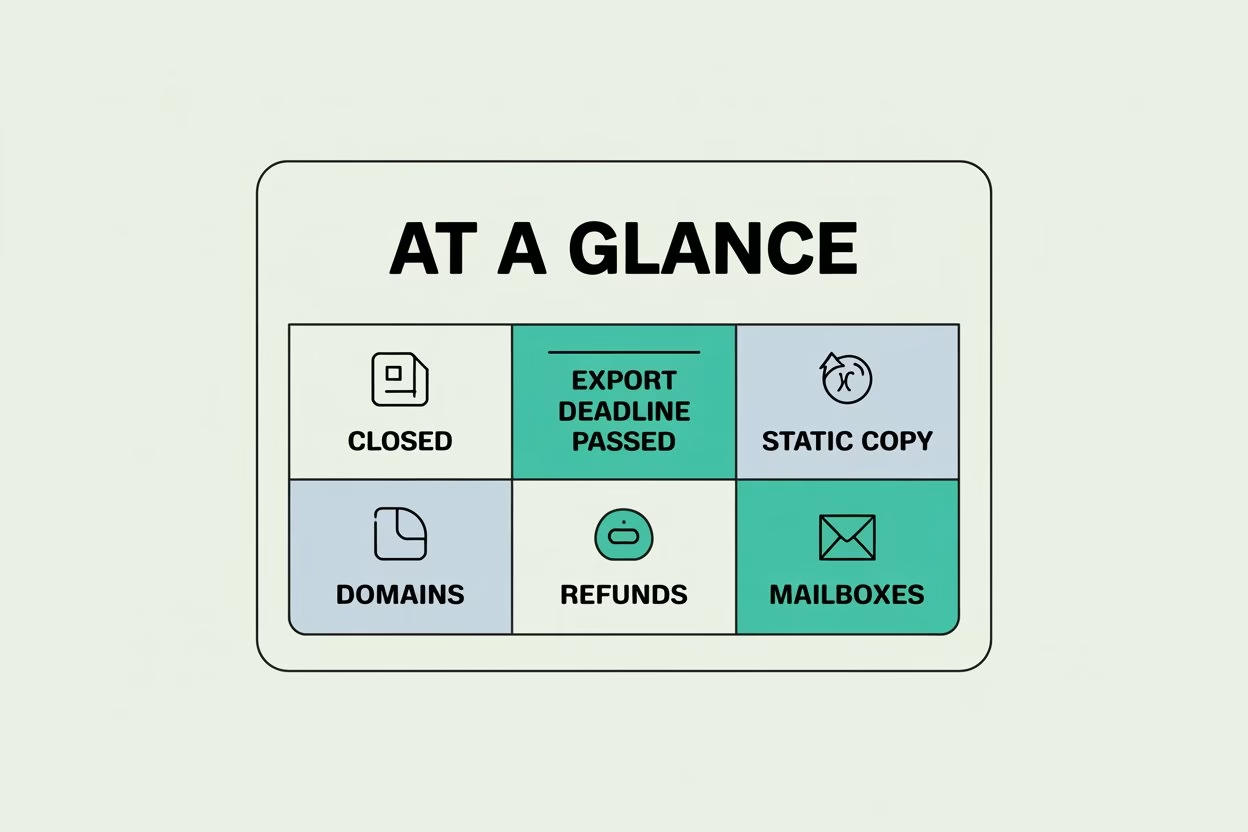
Key Closure Updates for Hocoos Users
- Hocoos’ official notice says the platform is no longer operating.
- Hocoos said website downloads were available only until April 23, 2026.
- The same notice says that after that date, stored websites, files, and account data would no longer be available.
- Hocoos said exported websites would still show pages and design, but forms, booking, checkout, and other platform powered features would not keep working.
- Domains bought outside Hocoos stay with the original registrar, while domains bought through Hocoos were meant to be transferred to Name.com before the shutdown.
- Custom mailboxes also needed to be transferred during the stated window, or mailbox data could become permanently inaccessible.
What Existing Hocoos Users Need to Know
Hocoos AI Website Builder was built to help people create websites quickly with AI. However, the latest official update changes the focus completely. Hocoos now says the platform is in shutdown mode, so readers should treat this page as a current user update rather than a normal sign-up guide.
If you still have a website on Hocoos, the priority now is simple:
- Understand the deadline
- Download your files, and
- Prepare your next move before the platform closes fully.
That is why this updated article matters far more than a standard features list now.
The Current Status of Hocoos
Hocoos’ official notice says the service is no longer operating. Its Knowledge Base also said the platform was being discontinued and gave April 23, 2026, as the shutdown date. During the transition period, websites remained accessible for visitors until that date, while export access was available before closure.
That changes the purpose of this article completely. This is no longer a guide about whether Hocoos is easy to use or worth trying. Instead, it is a help article for people who already had a site there and now need clear information about closure, files, domains, refunds, and next steps.
Can You Still Access or Export Your Website?
Based on the official page, website downloads were available only until April 23, 2026. The same page says that after this date, the platform would be permanently shut down, no new downloads or exports would be possible, and access to stored websites, files, accounts, and data would no longer be available. Since today is April 25, 2026, the stated deadline has already passed.
Hocoos also said editor and dashboard features had already been disabled during the transition, and that account access remained only to help users export files before shutdown. So, this article should now be read as a post-deadline guide, not as an active export checklist.
What an Exported Site Included
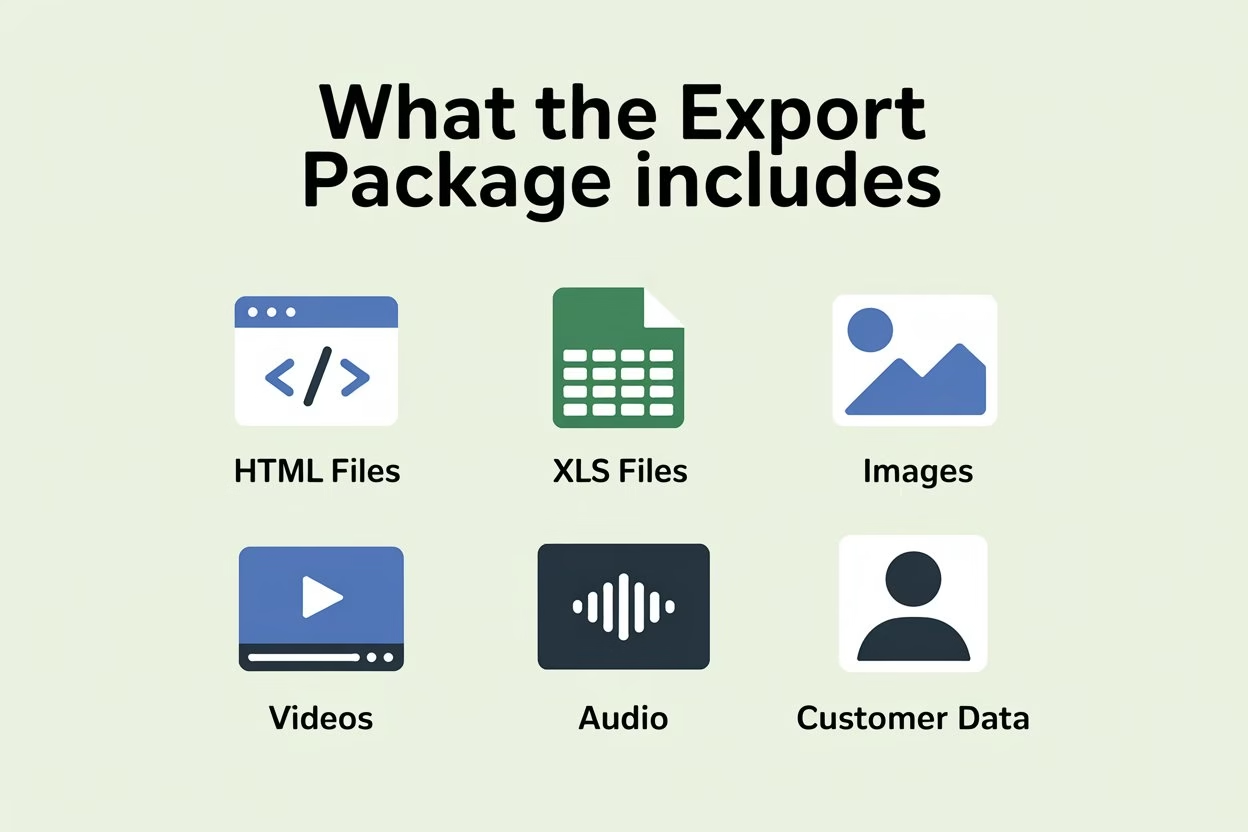
For users who completed an export before closure, Hocoos said the package included an HTML copy of the website, XLS files with site data, and the media used on the site. The official FAQ and help documentation list examples such as products, customers, orders, mailing lists, booking data, images, videos, audio, and other uploaded assets.
That matters because an export was more than a visual backup. It could also preserve business data that would be useful during migration or rebuilding. So, if you already downloaded your site, keep that saved website copy in more than one safe location before doing anything else.
- HTML copy: kept the pages, layout, and front-end content in a static format.
- XLS data files: could include products, customers, orders, mailing lists, clients, and appointments, depending on which apps were used.
- Media assets: could include images, videos, audio, and other uploaded website files.
- Separate exports for each site: users with multiple Hocoos websites had to export each one separately during the access period.
What Still Works in a Saved Copy
Hocoos said a previously exported website would still open and display its pages, content, and design. It also described the downloaded files as a static version of the site and its data. So, for users who saved their files before the deadline, that copy can still serve as a base for publishing elsewhere.
Hocoos also said those HTML files could still be edited later, although that would require basic HTML, CSS, or website editor knowledge. Because of that, the exported copy works best as a backup and a rebuild starting point rather than a full replacement for the original live platform.
What Stops Working Outside Hocoos
Hocoos’ FAQ says several interactive features would no longer work in an exported site because those functions relied on Hocoos servers. It specifically lists contact, subscribe, feedback, booking, checkout, store transactions, third-party integrations connected through Hocoos, and other dynamic platform-powered tools.
So, if you already saved your site and plan to relaunch it somewhere else, expect the design and content to survive, but expect feature loss after download in all the areas that depended on the old platform. If you want a smoother visual direction after the technical setup is handled, my post on Liquid Web Design 2026 can give you a few modern layout ideas before you relaunch.
- Forms stop working: contact, subscribe, and feedback forms need replacement tools.
- Booking stops working: booking features depended on Hocoos and would need rebuilding elsewhere.
- Checkout stops working: store transactions and checkout did not carry over in the static copy.
- Third-party integrations may break: anything connected through Hocoos needed review during rebuilding.
What Happens to Your Domain
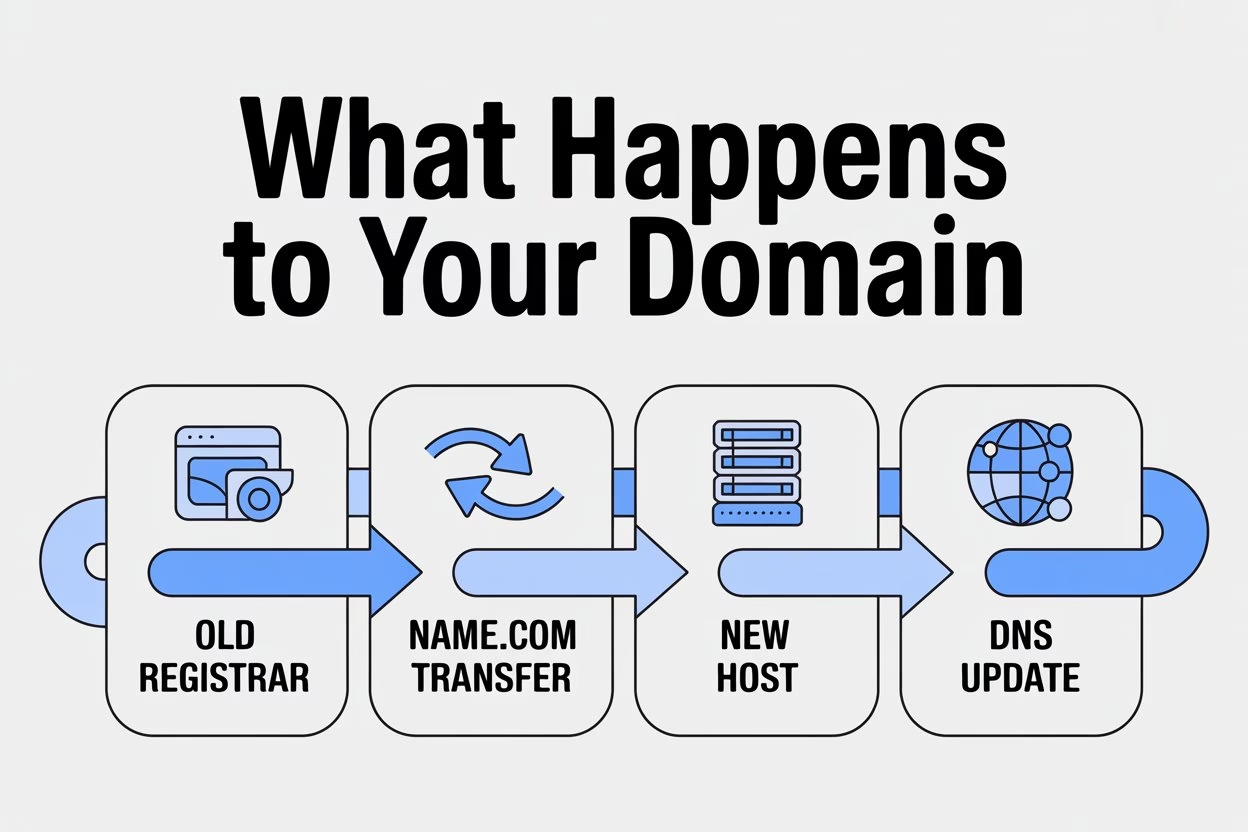
Hocoos said that if you connected a domain purchased from another registrar, that domain would remain under your control with that provider. The official notice also said that users who had exported their site could upload the saved files to a new host and then update DNS settings so the domain points to the new location.
For domains bought through Hocoos, the domain transfer guide said those domains needed to be transferred to the user’s own Name.com account. That guide also said the transfer should be completed before shutdown. So, the important question now is whether that move was already finished before the deadline passed.
- Outside registrar domains stay with you: those domains remain under your control with the original provider.
- Hocoos bought domains that needed to be transferred: the transfer guide says they had to be moved to a personal Name.com account.
- The old Hocoos hosted site does not stay live: Hocoos said websites on its platform would no longer remain accessible after shutdown.
- The key issue now is transfer status: if the move was not completed before closure, post-deadline options may be limited. This is a practical inference from Hocoos’ published transfer instructions.
What Happens to Mailboxes
Hocoos’ mailbox transfer guide said custom mailboxes had to be moved to a personal Polaris Mail account to avoid losing access. That guide gave users a limited transfer window and warned that if the move was not completed in time, mailbox access and mailbox data could become permanently inaccessible and unrecoverable.
That means mailbox users should now think in the same post-closure way as domain users. If the mailbox transfer was already completed, management should continue through Polaris Mail. If it was not completed during the stated window, Hocoos’ documentation says the mailbox and its data could be permanently lost.
- Mailbox transfer was required: Hocoos’ guide says custom mailboxes had to be moved to a personal Polaris Mail account.
- The transfer window was limited: the guide describes a short period starting from 23 March 2026.
- Unmoved mailboxes risked permanent loss: the same guide warns that mailbox access and data could become permanently inaccessible.
Subscriptions, Refunds, and Account Access
Hocoos said no new subscription charges would occur after the shutdown announcement. Its closing guide also said active subscriptions would be canceled automatically, users did not need to cancel manually, and pro rata refunds would be issued for unused subscription time. The same help article says refunds are processed within 1 to 2 business days, sent to the original payment method, and reduced where domain or mailbox costs are applied.
Hocoos also said websites would remain on the premium plan until the shutdown date, so visitors could still access them during the transition. Since that date has now passed, users should think in terms of checking refund emails, payment method activity, and any transfer confirmations that were expected during the closure process. That final sentence is a practical inference based on Hocoos’ refund and transfer guidance.
- No manual cancellation was required: Hocoos said subscriptions would be handled automatically.
- Refunds were described as automatic: Hocoos said unused paid time would be refunded on a pro rata basis.
- Refund timing was stated in the closing guide: the Knowledge Base says refunds are processed within 1 to 2 business days.
- Domain or mailbox costs could reduce the refund: the help guide says those charges may be deducted where applicable.
Hocoos AI Website Builder Review: What Matters Now
Before closure, Hocoos AI Website Builder appealed to beginners because it promised a quick setup path, a simpler editing experience, and an easier route to getting online without coding. That basic value explains why many users may still be searching for answers about their old Hocoos website.
Today, though, the review question is different. The useful questions now are not about templates or speed. They are about whether a user exported files in time, what still survives in a static copy, what connected services need to be transferred, and what the cleanest rebuild path looks like from here. That shift is an inference from Hocoos’ shutdown, export, domain, mailbox, and refund guidance.
What To Do If You Already Exported Your Site
If you already saved your website copy before closure, the best next move is to organize it, store it in at least two places, and decide how you want to relaunch. Hocoos said exported files could be uploaded to any hosting provider that supports static websites. So, if speed matters most, you can use that copy as the base for a faster relaunch, and then rebuild forms, checkout, booking, and other live features with other tools.
A practical rebuild path is to restore only the pages and functions you truly need first, then improve design and advanced features in stages. If you want a simpler relaunch approach, Build a Small Business Website Without Coding can help you think through the next step more practically. After rebuilding a website, many businesses also explore the best free AI tools for small business owners to improve productivity, customer support, and digital workflows.
What To Do If You Missed the Deadline
Hocoos’ official shutdown page says that after April 23, 2026, the platform would be permanently shut down, no further downloads or exports would be possible, and stored websites and files would no longer be available. Its FAQ also says that if a website was not downloaded before that deadline, the site and data stored on Hocoos’ servers would be permanently deleted.
So, if you missed the export window, the next realistic steps are narrower. The most important things to check now are whether your domain was already transferred if Hocoos handled it, whether a mailbox move was completed if you used that service, and whether refund or cancellation emails have reached you. That is practical guidance based on Hocoos’ published transfer and refund instructions, not a promise that website recovery is still possible.
What You Should Do Next
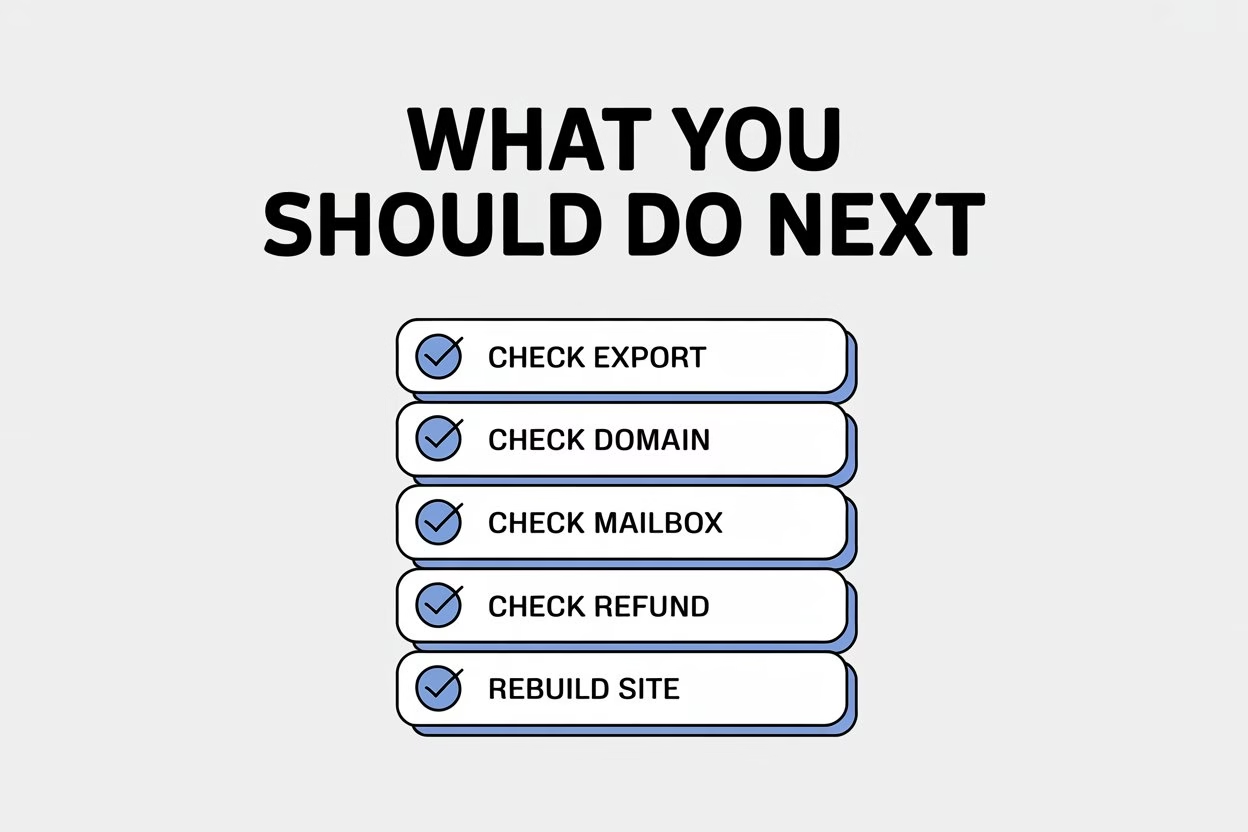
Right now, the most important thing about Hocoos AI Website Builder is not how quickly it can create a site. The important questions now are whether you already saved your website files, whether your connected services were moved in time, and what you need to rebuild or verify after closure. Hocoos’ official documentation makes clear that the platform has reached the point where exports and stored-site access are no longer available after the stated deadline.
If you have already exported your site, focus on hosting, domain, and rebuild decisions. If you did not, focus on domain status, mailbox status, and refund or cancellation records. Those checks will help you understand what can still be managed after the shutdown. If you need a replacement now, compare these free AI website builders after Hocoos shutdown before choosing a new platform.
FAQs
Is Hocoos still operating?
No. Hocoos’ official shutdown page says the platform is no longer operating.
Can I still download my Hocoos website on April 25, 2026?
Hocoos said downloads were available only until April 23, 2026. Its official page says that after this date, no downloads or exports will be possible.
What happens if I did not export my site before the shutdown?
Hocoos said websites and data stored on its servers would be permanently deleted after April 23, 2026, and could not be recovered if they were not downloaded before the deadline.
Will a previously exported Hocoos site still work?
Yes, if it was saved before the shutdown. Hocoos said the downloaded copy would still display pages, content, and design, but it would be a static version.
Which features stop working in an exported site?
Hocoos said contact, subscribe, feedback, booking, checkout, store transactions, third-party integrations, and other dynamic platform-powered features would no longer work outside Hocoos.
What files were included in a Hocoos export?
Hocoos said the package included an HTML copy of the website, XLS data files, and media assets, such as images, videos, audio, and other uploaded files.
Can I move a previously exported site to another host?
Yes. Hocoos said exported files could be uploaded to a hosting provider that supports static websites.
What happens to my domain now?
If you bought the domain through another registrar, Hocoos said it remains under your control there. If you bought it through Hocoos, the company’s transfer guide said it needed to be moved to your own Name.com account before shutdown.
What happens to a Hocoos mailbox now?
Hocoos’ mailbox guide said custom mailboxes needed to be transferred to a personal Polaris Mail account and warned that if the transfer was not completed in the stated window, mailbox data could become permanently inaccessible.
Will I still be charged for my subscription?
Hocoos said no new subscription charges would occur after the shutdown announcement.
Will I get a refund?
Hocoos said active paid users should receive a pro rata refund for unused time, and the closing guide says refunds are processed automatically within 1 to 2 business days.
Do I need to cancel my subscription myself?
No. Hocoos said no action was required from users because subscriptions would be handled automatically as part of the shutdown process.